When I try to import 3D objects, some work and some do not no matter how many times I try and the engine is forced to quit.
I would like to know what causes the failure.
I will send you an obj file of it that fails to import.
When I try to import 3D objects, some work and some do not no matter how many times I try and the engine is forced to quit.
I would like to know what causes the failure.
I will send you an obj file of it that fails to import.
 Wano Admin
May I have the .obj and texture to test it?
Texture files are possible; obj files were not possible after several attempts earlier, so I will try to see if I can send them after compressing them.
"file type is not allowed" Sorry.
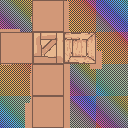
I hope you will forgive me for the barrage of questions. Regarding the obj file you mentioned in my earlier question, I just tried it and the import was successful. However, it displays this not-quite-appropriate view. This is what happened with the obj file that had failed to import before. I would like a solution.
@yosshi It works for me. Please double check that the .obj is correctly selected. Also try to change the names of the files. Maybe japanese characters are messing up something, but that would be strange...
I tried to import with the name "box" but this time the app forcefully terminated on the way. I tried several times with the same result. This kind of case has happened several times in the past. Based on my experience, I think that even if the import succeeds, it will probably not be displayed correctly. Thank you for responding to my question.