help ! sprite dimensions off

4 replies · 5342 views

LilysEgg 0 likes received

Hello ! I am having issues with the incorporation of a custom sprite sheet ! (Sprite : W: 80 L: 160 Sprite sheet W: 240 L: 640 px) as you can see on the file attached (screencap). I tried to find solutions on the Internet, even by using chatgpt... nothing helped. Are the dimensions too big ? Can, and if so, how does one resize the area read as one frame for the sprite ? It took a pretty long time to draw... -_-' sorry for poor knowledge of forums, I've pretty much never been on one... Thank you in advance ! I am working on the latest version of RPM : v2.0.11.
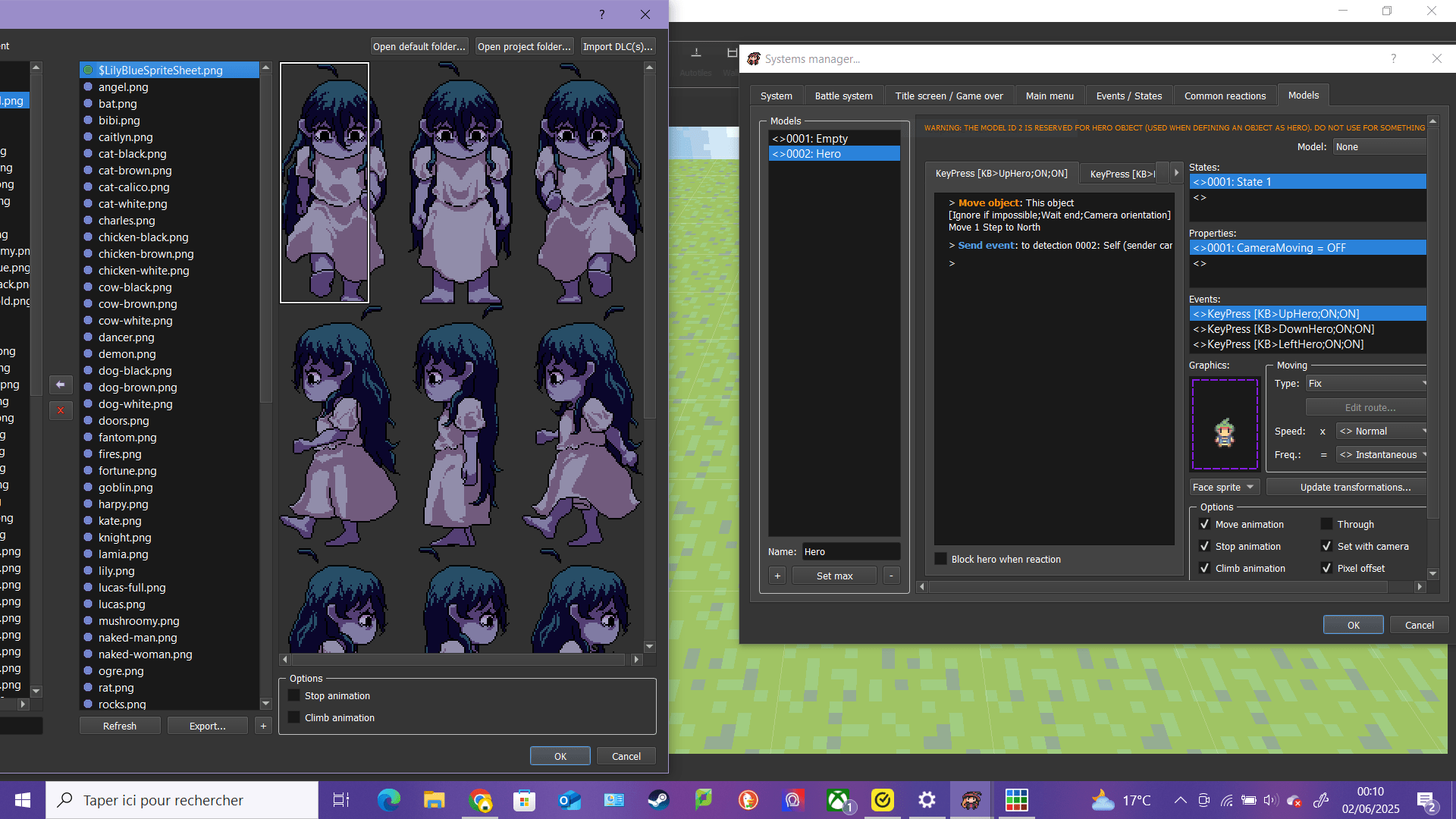

helpSpriteLimit-min.PNG

Dead Pixel Games 0 likes received Contributor

Sorry to necro this thread, but I'm also having trouble importing/animating my sprite sheet. I made it using Memao Sprite Sheet Creator. Then I exported the whole sprite sheet, but I think it might be too big for the engine? It's 8 rows across and 20 down.

When I first tried to use this sprite sheet, the white box in RPG Paper Maker would automatically select frames for me so I couldn't pick anything else. When I test my game out, it's animating the whole entire sprite sheet instead of being 4x4. As a workaround, I tired slicing the sprite sheet into 4x4 frames, but that doesn't seem to work either.

Any help would be much appreciated!

Wano 38 likes received Admin

What is your sprite sheet size ? Square size ? And frames animation?

Back to General discuss